Offline Billing Software
Continue billing and processing sales even without an internet connection. Transactions automatically sync when internet access is restored.

Nexchar is a cloud-based desktop POS software designed for supermarkets, pharmacies, restaurants, retail stores, and large businesses.
Manage billing, invoicing, inventory, barcode scanning, customer accounts, staff management, and business reports from one complete Windows point-of-sale system.
No credit card required. Start using Nexchar POS today.
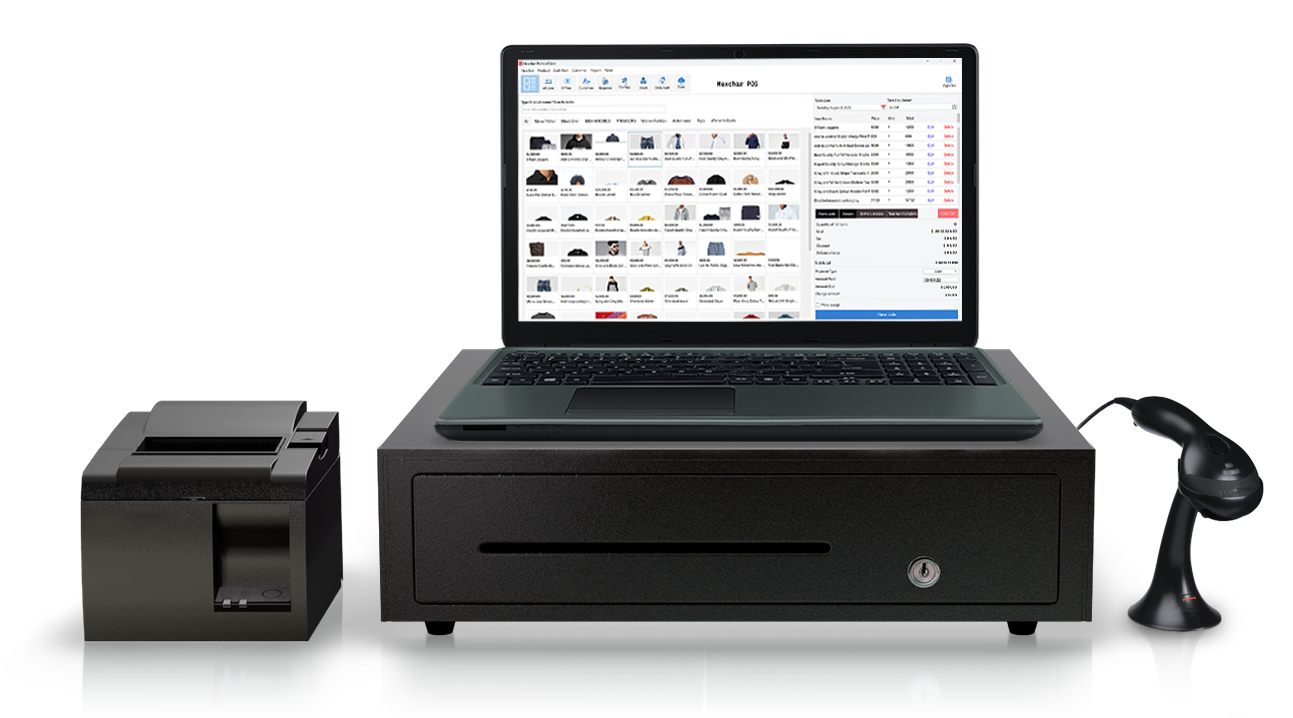

Everything you need to manage sales, inventory, billing, suppliers, customers, and business operations from one platform.
Continue billing and processing sales even without an internet connection. Transactions automatically sync when internet access is restored.

Speed up checkout and inventory management using plug-and-play barcode scanners compatible with Nexchar POS software.

Create professional invoices instantly, download PDF invoices, and share bills with customers easily.

Track customer balances, invoices, payments, quotations, and purchase history from one dashboard.
Print receipts quickly using thermal POS printers compatible with Nexchar billing software.
Monitor stock levels, low stock alerts, product movement, and inventory reports in real time.
Access detailed sales reports, expense reports, tax reports, profit analysis, and supplier statements.

Keep your business data secure with automatic cloud backups and multi-location storage support.
Export invoices, reports, and inventory data in PDF or Excel format anytime.
Nexchar desktop POS software helps businesses manage billing, inventory, online orders, suppliers, expenses, and customer accounts from one system.


Affordable, easy-to-use cloud-based point-of-sale app for your business.
We are offering a free POS mobile app for new startups with limited features.

Take full control of your team with Nexchar's built-in staff management tools. Set role-based permissions, monitor performance, and protect your store's sensitive data — all from one place.
Turn your PC into a functional Point of Sale
Nexchar POS is compatible with all major Windows versions.
Yes. Nexchar desktop POS software works offline and automatically syncs transactions to the cloud when internet access returns.
Yes. Nexchar POS supports Windows 7, Windows 8, Windows 10, and Windows 11 operating systems.
Yes. Nexchar supports barcode scanners, thermal POS printers, invoice printing, and barcode label generation.
